The average knowledge worker switches between applications 566 times per day.
That’s roughly one switch every 52 seconds during an eight-hour day. Read that again. Every 52 seconds.
You opened this article to reduce app switching. But first, you had to switch apps to find this article. Now you’re here. Reading this. While your other apps wait for you to come back.
You don’t feel it because it has become completely normal. But each switch costs you focus. Some cost seconds. Others cost minutes. All of them accumulate into a productivity drain that’s invisible because you’ve never measured it.
Curious what 566 switches per day cost you? Try the Focus Points Calculator — it measures how much of your day gets eaten by application switching.
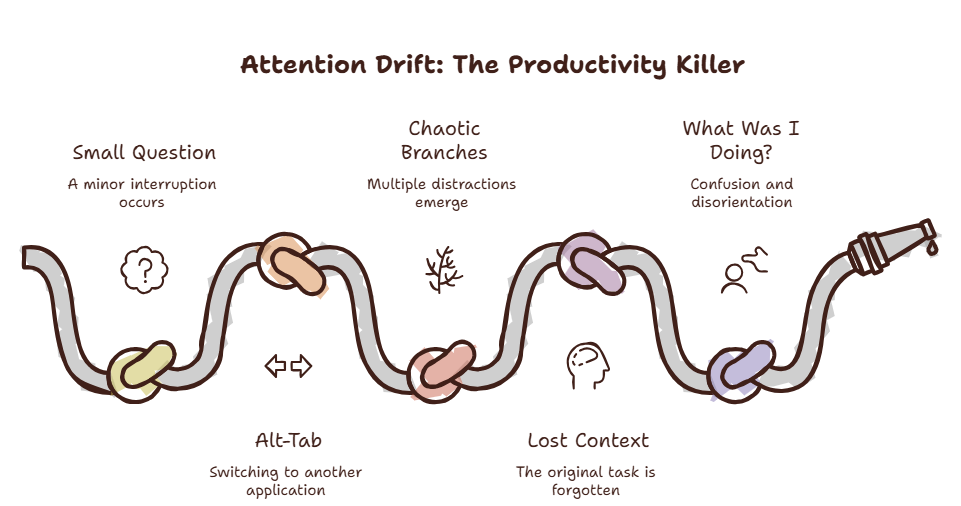
The Application Tax
Every time you leave one app for another, you pay a toll. The toll is small — a few seconds of reorientation. But you pay it 566 times per day. That’s over an hour of pure switch time, not counting the recovery.
Have you ever noticed how you open an app, forget why you opened it, and stare at the screen?
That’s the Application Tax in action. Your brain loaded the new context but didn’t save the intent.
Why We Switch So Much
Application switching is driven by one thing: the need for information that lives outside your current tool.
You are writing a document. You need a number from a spreadsheet. You switch. You are coding. You need to check an API reference. You switch. You are designing. You need to see the brand guidelines. You switch.
These are legitimate needs. The problem is not that you switch apps. The problem is that every switch forces your brain to reorient to a new environment.
Research from the University of California found that even a 2.8-second interruption doubles the error rate on the primary task. Two point eight seconds. That’s shorter than the time it takes to read this sentence.
What You Can Do About It
Strategy 1: Consolidate Information Into a Single Layer
The most effective way to reduce app switching is to bring all the information you need into a single access point that doesn’t require leaving your current app.
An overlay browser like SiteQuest serves this purpose. Instead of switching to a separate window, you pull up a sidebar overlay. You find what you need. You dismiss it. You never switched apps.
This single change can reduce your app switching by 60-70%, because the majority of switches are quick lookups that don’t need a full browser environment.
Strategy 2: Use Application Hubs
Some applications can serve as hubs that reduce the need to switch. VS Code has integrated terminals, Git panels, and AI chat. Notion can embed databases and documents. Slack integrates with hundreds of tools.
Identify the application that is your primary workspace. Configure it to handle as many sub-tasks as possible without leaving.
For developers: use editor-integrated AI assistants instead of switching to a browser. For designers: use plugins that pull specifications into your design tool.
Strategy 3: The 30-Second Rule
Before you switch apps, ask yourself: will this take more than 30 seconds?
If yes, it’s worth switching. Open the full application, do your work, and switch back.
If no, find a way to do it without switching. Use a quick-search tool, a command palette, or an overlay.
The 30-second boundary is the threshold where the recovery cost exceeds the task value. Anything under 30 seconds should never trigger an app switch.
Strategy 4: Batch Your App-Specific Work
Instead of switching back and forth between the same apps all day, batch your work by application. Spend 45 minutes in your editor, then 15 minutes in communication tools, then 10 minutes in project management.
This extends the time between switches so your brain can build deeper focus in each session. The total work is the same. The experience is completely different.
Strategy 5: Stop Switching For Your AI Tools
AI assistants are one of the biggest sources of app switching in 2026. You’re coding. You need to ask ChatGPT a question. You switch to the browser. You open ChatGPT. You type your question. You read the answer. You switch back.
This pattern is so common it deserves its own strategy. Instead of using ChatGPT in a separate tab, use an overlay that brings the AI to your workspace.
For detailed strategies, see our guide on using multiple AI models efficiently and ChatGPT without tab switching.
The SiteQuest Perspective
SiteQuest was built because application switching isn’t going away. You will always need multiple tools. The question is whether you need to leave your current tool to access another. The answer should be no.
Final Thought
You don’t have an attention problem. You have a switching problem. Reduce the switches, and your attention naturally returns.