Blocking websites. Focus timers. Turning off notifications. Pomodoro.
You’ve tried them all. And you’re still here — twenty minutes deep in a page you never meant to open.
How did I end up here?
The problem isn’t willpower. It never was.
The problem is structural. Every time you need a piece of information, your computer forces you to leave your workspace. Open a browser. Find the answer. Rebuild your context. Come back. That cycle — not you — is what breaks your focus.
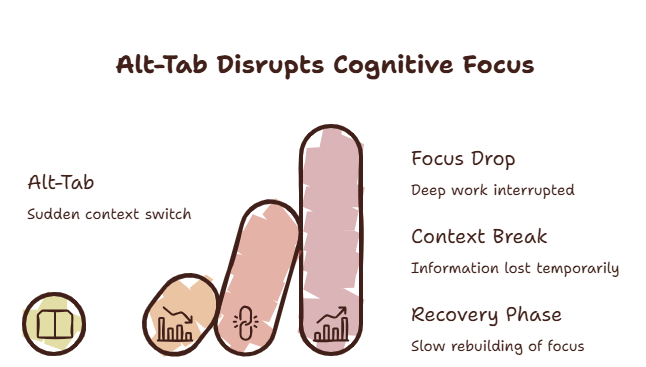
The False Solutions Trap
You try something. It doesn’t work. You blame yourself. So you try something harder.
The most common approaches fall into two categories, and both miss the real problem.
Discipline approaches tell you to write down questions and look them up later. This sounds reasonable — until you hit a real blocker. A question you genuinely need answered to continue. You can’t just write it down and move on.
Blocking approaches use website blockers and focus apps. These fail because the same sites you need for work — documentation, AI assistants, reference materials — are the same sites that distract you. You can’t block Stack Overflow without also blocking the answer you need.
Have you ever noticed that the harder you try to stay focused, the more you want to switch to something else?
That’s not laziness. That’s your brain rebelling against friction.
What Actually Causes Context Switching
Context switching isn’t caused by distraction. It’s caused by friction.
You’re working. You hit a micro-question — a config value, a syntax you forgot, a piece of data. Your brain registers this as friction. It wants resolution. now
The fastest way to resolve friction? Switch to a tool that has the answer.
The switch itself is just a symptom. The real problem is that every micro-question requires an environmental change. You can’t get the answer from inside your current application. So you leave.
Why The Cost Sneaks Up On You
Opening a browser tab takes three seconds. Finding the answer takes ten seconds. That’s thirteen seconds. Barely noticeable.
But here’s what you’re missing: the cost isn’t the thirteen seconds. The cost is the three minutes after you return, trying to remember what you were doing.
Why do I need five seconds to remember what I was doing after switching screens?
Because your brain spent those thirteen seconds building a new mental model of the browser environment. Now it has to tear that down and rebuild the original model. That rebuilding is slow. It’s expensive. And it happens every single time.
A Different Approach
The most effective way to stop context switching is not to stop looking things up. It’s to change the environment so that looking things up doesn’t require leaving your workspace.
This is where an overlay browser changes the game.
The critical difference: when you dismiss the overlay, your primary application never disappears from view. You’re looking at the exact same workspace you left. Your brain doesn’t need to rebuild anything.
Research from Carnegie Mellon found that maintaining visual continuity during micro-tasks reduced context recovery time by 67%. That’s not marginal. That’s fundamental.
Practical Fixes
Before we get to the product, here’s what you can do right now:
-
Set a switch threshold. Before switching, ask: is this question worth 23 minutes of recovery? Most aren’t.
-
Use a notepad. Physical paper. Keep it next to your keyboard. Write down micro-questions and check them in batches.
-
One monitor for primary, one for reference. If you have two screens, designate one as your primary workspace and the other for reference only. Train yourself not to switch the primary.
-
Know your hotkeys. Every application you use has shortcuts for common actions. Learn them. Every time you reach for the mouse, you’re one step closer to a context switch.
The SiteQuest Perspective
This exact pattern — micro-question → leave app → lose context — is why SiteQuest exists. A pop-in browser overlay that brings information to you instead of making you chase it. One hotkey away. No context switch. No recovery cost.
Final Thought
The problem isn’t that you get distracted. The problem is that every answer is on the other side of a context switch.
Remove the switch, and the distraction problem solves itself.