You are deep in work. The kind of focus where everything clicks. Then you need one piece of information. A configuration value. An API response. A quick fact check.
You open a browser. The browser opens with all your other tabs — the ones you swear you will close later. You see a notification badge. An interesting headline. A tab you forgot about.
Twenty minutes later, you are somewhere completely different.
How did I end up here?
You opened this article to learn about overlay browsers. But first, you had to open a browser. To read about a browser that lets you stop opening browsers. Now you’re here. Reading this. The irony is not lost on us.
You close the tabs. You go back to your work. You stare at the screen, trying to remember what you were doing.
This happens dozens of times a day. And the tool causing it — the browser — is also the tool you need to get your job done.
The Browser Trap
Your browser is simultaneously your most essential tool and your most persistent source of friction. You cannot work without it. You also cannot focus with it.
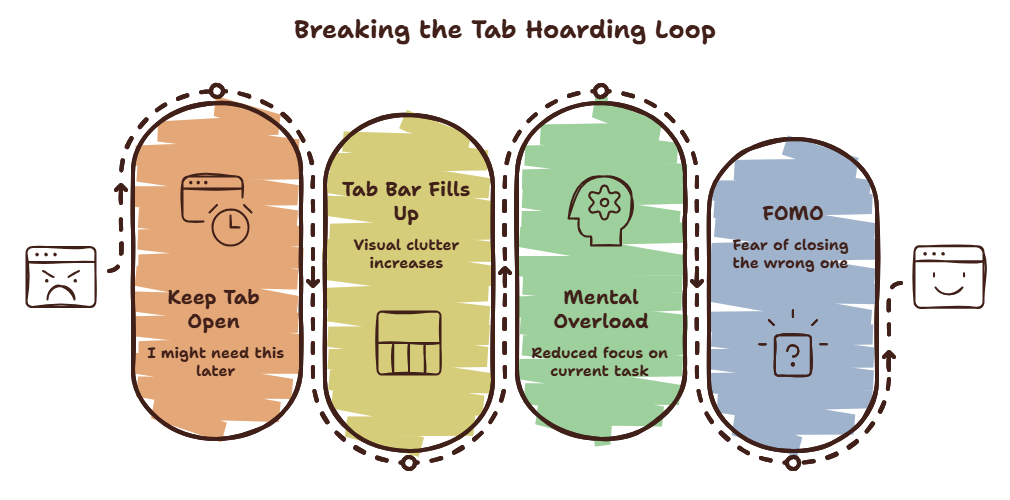
The average knowledge worker has 17 browser tabs open at any given time. According to a 2026 study by Timeflow, people who keep more than 10 tabs open switch contexts 3x more frequently than those who keep 5 or fewer.
You know the tabs are a problem. You have told yourself you will close them. But you don’t. Because closing a tab feels like closing a door on something you might need later.
Have you ever noticed how you keep a tab open for days “just in case”?
That is not organization. That is fear of losing access to information.
Curious what those tabs are costing you? Try the Focus Points Calculator — it measures how much of your day gets eaten by tab clutter and context switching.
What an Overlay Browser Actually Is
An overlay browser is a browser that does not take over your screen. It lives as a floating panel or sidebar that you summon with a hotkey. It appears over your current application. You find what you need. You dismiss it. Your primary workspace never disappears.
This is different from a standard browser in a fundamental way:
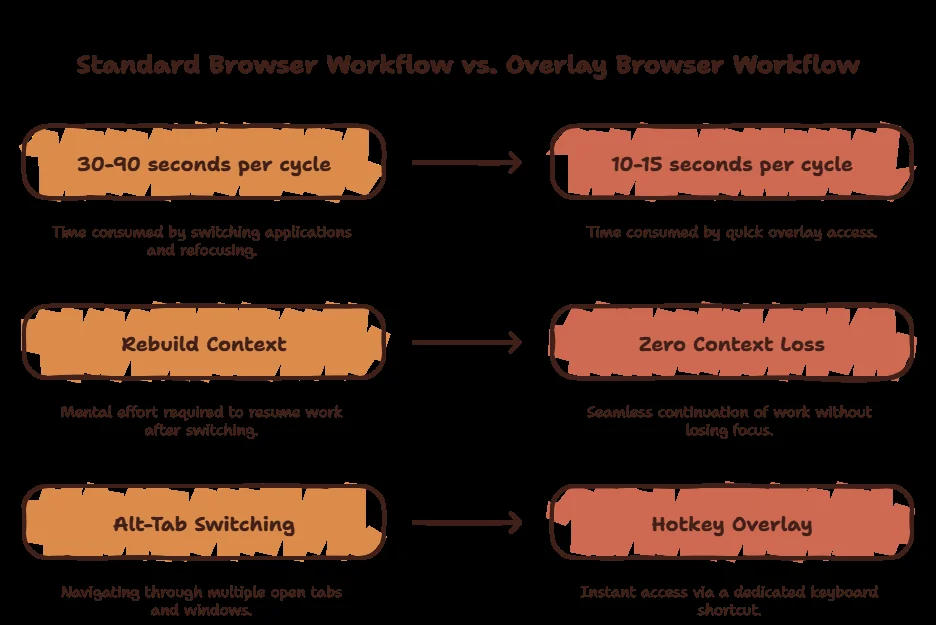
A standard browser is a destination. You travel to it. You leave your current environment. You enter the browser’s world. You navigate through tabs. You find what you need. You leave the browser. You return to your work.
An overlay browser is a tool. It comes to you. You summon it. It appears in your current environment. You use it. You dismiss it. You never left.
The distinction sounds small. It is not.
Why This Distinction Matters
The cost of context switching is not the time you spend in the other application. It is the time you spend rebuilding your mental model when you return.
Research from UC Irvine shows that after any interruption, it takes an average of 23 minutes to fully return to the original task. Twenty-three minutes. And that is for a single interruption.
When you use a standard browser, every tab switch, every notification badge, every visible bookmark is a potential interruption. You might not click them. But your brain registers them. Each registration costs a micro-fragment of attention.
An overlay browser eliminates the environmental transition. Your primary workspace stays visible behind the overlay. When you dismiss the overlay, your brain sees the exact same context it left. The recovery cost drops to near zero.
For a detailed breakdown of context switching costs, read our context switching guide.
Common Solutions That Do Not Work
More Monitors
You add a second screen so you can keep your browser open on the side. Now you have twice the surface area for distraction. Your peripheral vision constantly registers movement on the second screen. Every glance triggers a micro-switch.
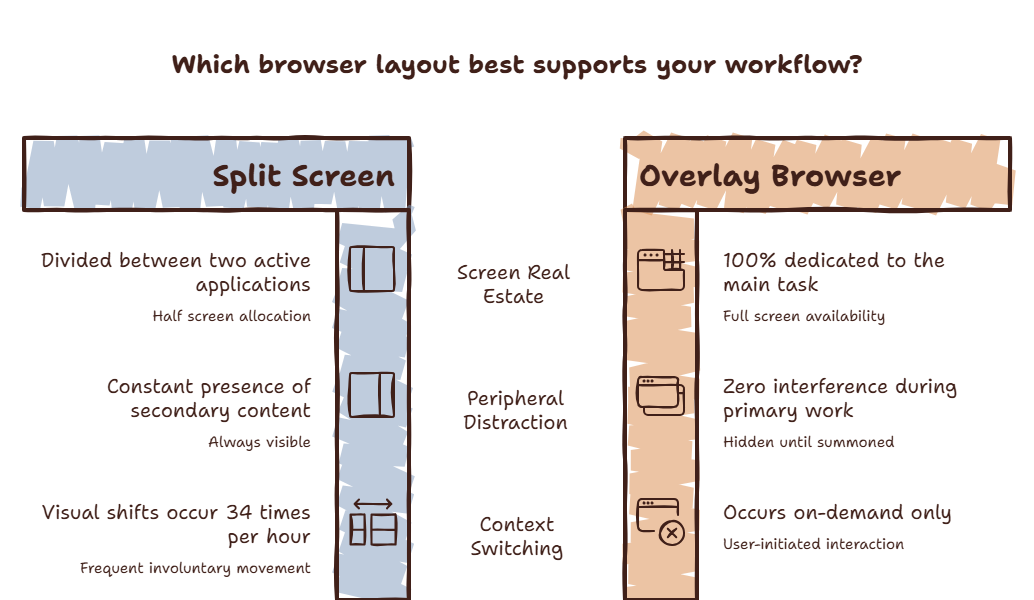
Split Screen
You squash your editor to one side and your browser to the other. Now both windows are too small to be useful. You spend more time scrolling and resizing than actually working.
Tab Managers
You install extensions that organize your tabs into groups and trees. Now you are spending time organizing tabs instead of doing work. The organizer becomes the distraction.
Focus Mode
You use a full-screen focus mode that hides everything except your current window. This works until you need to look something up. Then you have to leave full-screen mode, which feels like breaking a rule. So you hesitate. You try to solve the problem from memory. You get it wrong. You waste more time fixing the mistake than you would have spent looking it up.
For a detailed comparison, read our article on overlay vs split screen.
A Better Way To Think About It
The goal is not to use the browser less. You need the browser. The goal is to change the relationship between you and the browser so that accessing information does not require abandoning your workspace.
Think of it like a toolbox. You do not move your entire workbench to the toolbox every time you need a wrench. The toolbox is within reach. You grab what you need and continue working.
An overlay browser is the same idea for information. It sits within reach. You grab what you need. You continue working.
How to Choose an Overlay Browser
Not all overlay browsers are the same. Here is what to look for:
Hotkey summoning. The overlay should appear and disappear with a single keyboard shortcut. If you need to click an icon or navigate a menu, the friction is too high.
Always-on availability. The overlay should work regardless of what application you are in. You should not need to set up per-app integrations.
Full browser capabilities. The overlay should support web apps, AI assistants, documentation, and any web-based tool you use. A limited overlay is not useful.
Context preservation. When you dismiss the overlay, your primary application should be exactly where you left it. No focus stealing. No window reshuffling.
SiteQuest meets all of these criteria. It is a pop-in overlay for macOS and Windows, summonable with Shift-Space from any application.
Practical First Steps
If you want to try an overlay browser workflow today:
- Install one. SiteQuest takes two minutes to set up.
- Use it for every quick lookup. Every time you would normally Alt-Tab to a browser, use the overlay instead. For one full day.
- Notice the difference. Pay attention to how quickly you return to your primary task after using the overlay versus after using a standard browser switch.
- Expand to AI tools. Use the overlay for ChatGPT, Claude, Gemini, and documentation. The overlay handles all web-based tools.
The SiteQuest Perspective
SiteQuest was built because the standard browser workflow — open, get distracted, close, recover — was never designed for the way we work in 2026. A pop-in overlay that brings the web to your current application, available one hotkey away, disappearing the same way. No context switch. No recovery cost.
Final Thought
The best browser is the one you do not have to travel to. It is the one that comes to you.