You have Chrome open with fifteen tabs. You are writing a document. You need to check something in your email. Then look up a fact. Then ask ChatGPT a question.
You switch from your document to Chrome. Chrome has fifteen tabs. You find the one you need. You do the thing. You switch back to your document.
Where was I?
You opened this article to find a Chrome alternative. But first, Chrome wanted to show you the fifteen tabs you have open, the notification badge on Gmail, and the YouTube video you were supposed to watch later. Now you’re here. Reading this. While Chrome eats another gigabyte of RAM.
You re-read your document. You find your place. You write two more sentences. Then you need to check something else.
This is multitasking in 2026. And Chrome is making it worse.
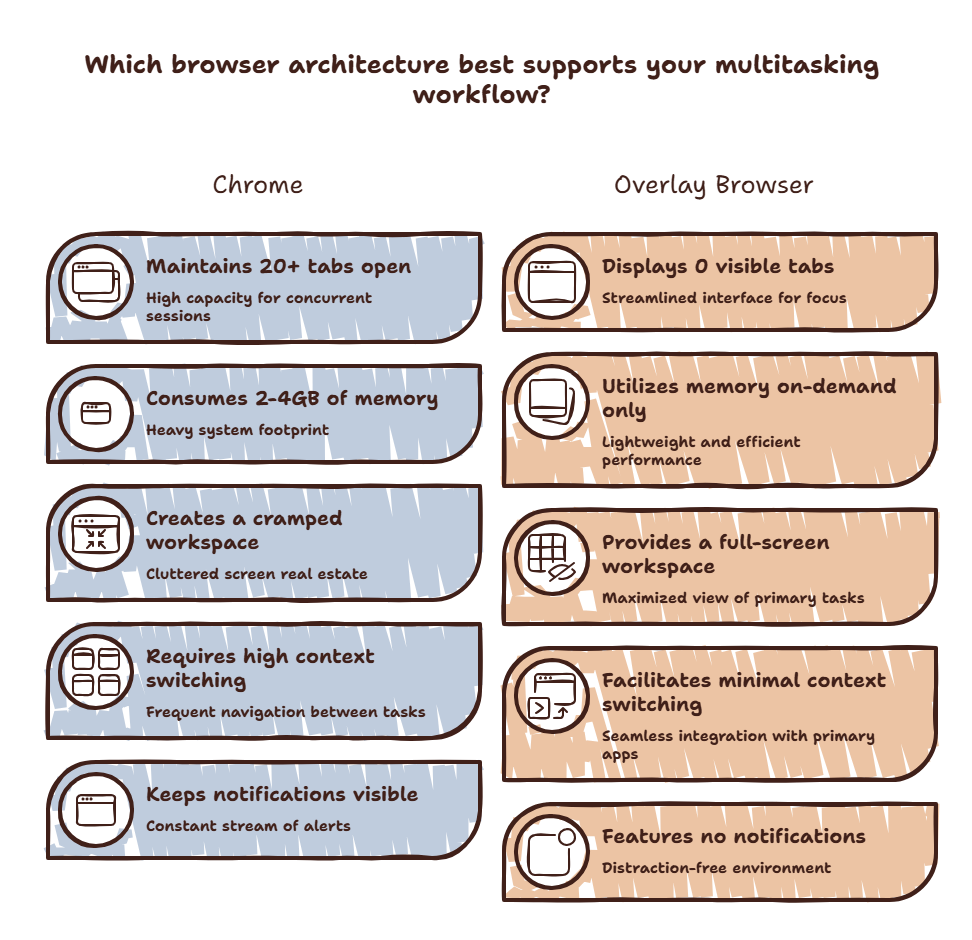
The Chrome Multitasking Problem
Chrome is the most popular browser for multitasking. And it is one of the worst tools for it.
Every Chrome window is a full environment. Tabs, bookmarks, extensions, history. When you switch into Chrome, you do not just switch to one page. You switch to everything Chrome contains.
Your brain must process the entire environment — not just the page you need.
A 2025 study from Carnegie Mellon found that switching into a browser with 10+ open tabs increases cognitive load by 34% compared to switching into an empty browser. The visual noise of tabs competes for mental bandwidth.
Chrome also has a memory problem. More tabs mean more RAM usage. More RAM usage means your system slows down. A slow system makes every task feel sluggish. You get less done in the same amount of time.
Curious how much Chrome’s memory bloat is costing you? Try the Focus Points Calculator — it measures how much of your day gets eaten by browser bloat and context switching.
What Makes a Good Multitasking Browser
A browser designed for multitasking should:
- Not consume system resources when you are not using it
- Not overwhelm you with options when you just need one page
- Not require tab management as a separate task
- Not hide your primary workspace when you access it
Standard browsers fail on all four counts.
The Options
Firefox. Better memory management than Chrome. Container tabs help organize. But still a full-window environment. The context switch cost remains.
Brave. Lighter than Chrome. Built-in ad blocking makes pages load faster. But same window-and-tab paradigm. Same context switch.
Arc. Revolutionary tab organization. Spaces and profiles keep things separate. But Arc is still a full-window browser. It still requires you to leave your current application. And the learning curve is steep.
Overlay browser. A fundamentally different approach. Instead of switching to a browser, the browser comes to you. An overlay sits on top of your current workspace. You summon it, use it, dismiss it. Your workspace never disappears.
SiteQuest is the best example of this approach. A pop-in overlay browser that you launch with Shift-Space. No tabs. No bookmarks bar. No notification badges. Just the page you need.
The Multitasking Test
Try this. Track how many times you switch to a browser today. Count every instance. At the end of the day, ask yourself: how many of those switches required a full browser environment?
The answer is probably fewer than half.
Most browser switches are quick lookups. Check a value. Read a doc. Ask AI a question. You do not need a full browser with fifteen tabs. You need one page, fast, with zero friction getting back.
An overlay browser handles this use case perfectly. The hotkey is muscle memory. The page loads. You read. You dismiss. You are back.
For developers and heavy AI users, this is a game changer. Read our guide on the fastest way to access AI while coding.
The SiteQuest Perspective
SiteQuest was designed for people who switch tasks constantly. It removes the friction from every browser interaction. One hotkey. No tab management. No context switch. For a full comparison with every major browser, see our browser alternatives guide.
Final Thought
The best multitasking browser is the one you do not have to manage.