You open a website. Before you can read the content, the page loads. And loads. And loads.
Ads. Trackers. Pop-ups. Autoplay videos. Cookie consent banners. Newsletter signup modals.
By the time the page is usable, thirty seconds have passed. And you only needed a two-sentence answer.
Have you ever noticed that you spend more time waiting for web pages to finish loading than actually reading them?
The average page now loads over 2MB of ad and tracker content before you see a single word of useful information.
The Ad Bloat Problem
Websites are drowning in ads, and you are paying the price in time, attention, and data.
A 2025 study from the HTTP Archive found that the median web page now loads 2.8MB of content. Ads and trackers account for 63% of that total. The actual content you came for is less than half of what your browser downloads.
You came here to read about ad blockers. But first, your browser had to download 14 tracking scripts, 3 autoplay videos, and a newsletter modal. Now you’re here. Reading this. While 2MB of invisible garbage loads in the background.
Ad blockers help. They strip out the ad scripts before they load. Pages load faster. Your data stays private. The experience is cleaner.
But ad blockers have limits. They are reactive — they block known ad scripts, but new ones appear constantly. They require maintenance. Some sites detect them and block access. And they only work within the browser.
Curious how much time ads actually cost you? Try the Focus Points Calculator — it measures how much of your day gets eaten by bloated pages and context switching.
The Standard Solutions
Browser-based ad blockers. Extensions like uBlock Origin, AdBlock Plus, and Ghostery. They work well. They block most ads. They require occasional updates. Some sites block you for using them.
Brave. A browser with built-in ad blocking. No extension needed. Faster than Chrome with extensions. But still a traditional browser with tabs, bookmarks, and the same paradigm.
Pi-hole. A network-level ad blocker. Blocks ads on all devices. Requires setup and maintenance. Overkill for most users.
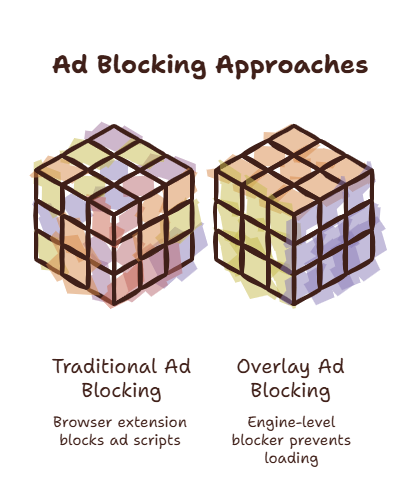
All of these work. All of them have a fundamental limitation: they operate within the browser. They make the browser experience better. They do not change the fact that the browser is a destination you travel to.
A Different Approach
What if the best ad blocker is not blocking ads at all? What if it is changing how you access the web?
An overlay browser like SiteQuest changes the equation. You are not browsing the web in the traditional sense. You are accessing specific pages on demand, through a focused overlay.
When you use an overlay browser, you do not see the ad-heavy environment. You press a hotkey. The overlay appears with the page you need. You read it. You dismiss it. No tab bar. No bookmarks bar. No new tab page full of ads and trackers.
The ads are not blocked. They are simply never loaded in a distracting environment.
This is not a replacement for an ad blocker for full browsing sessions. But for the majority of web use — quick lookups, reference checks, AI access — the overlay approach eliminates the ad problem entirely.
When To Use Which
For heavy browsing — reading articles, shopping, research — use a dedicated browser with a good ad blocker. Firefox with uBlock Origin. Brave. Chrome with an ad blocker extension.
For quick lookups, AI access, documentation, and reference — use an overlay browser. The ad environment never appears because you are not “browsing.” You are accessing.
This dual-browser strategy gives you the best of both worlds. Heavy browsing is protected by an ad blocker. Quick access is protected by the overlay paradigm itself.
For a comparison of overlay browsers, read our best overlay browsers for Mac roundup.
The SiteQuest Perspective
SiteQuest has a built-in ad blocker, plus the overlay paradigm itself keeps you out of the ad-filled browser environment. You summon a focused overlay instead of entering a tab-cluttered window. The ads never get a chance to load. For a full comparison of ad-blocking approaches, read our best ad blocker browsers for Mac.
Final Thought
The best ad blocker is the one that never shows you the ad environment in the first place.