An AI browser is a browser with an AI assistant built into the browsing experience — answering questions about pages, summarizing articles, automating lookups — instead of making you copy-paste between a chatbot and your tabs.
That is the entire idea. Everything else is marketing.
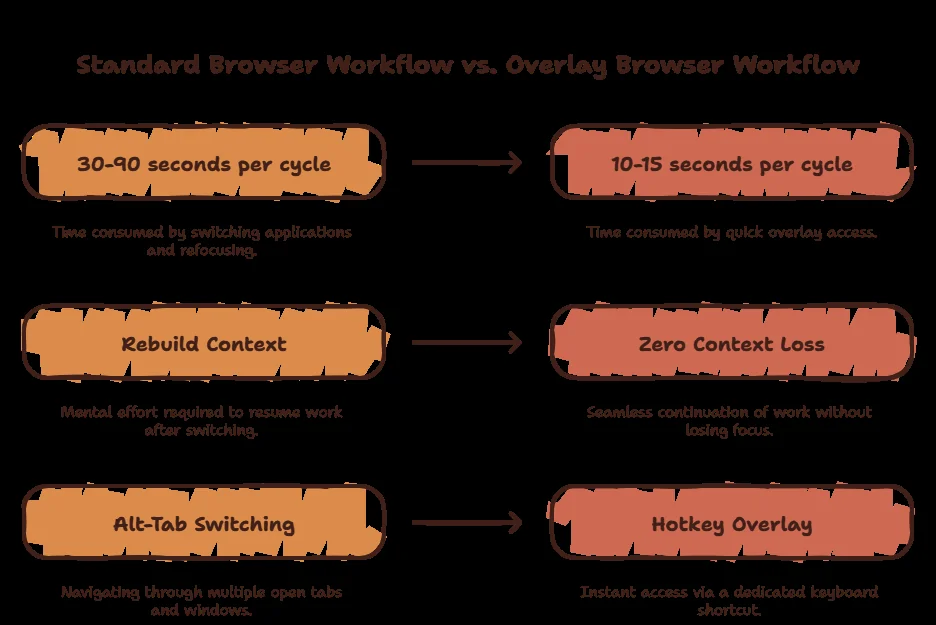
If you have ever Alt-Tabbed to ChatGPT mid-task, pasted a paragraph, waited, copied the answer back, and forgotten what you were doing — you already understand the problem AI browsers solve.
Curious what that round trip costs you? Try the Focus Points Calculator — it measures how much of your day gets eaten by app and tab switching.
AI Browser vs Browser With AI Features
Chrome has Gemini in the sidebar. Edge has Copilot. Are those AI browsers?
No — those are regular browsers with an AI panel bolted on. You still live in tabs. A true AI browser makes the assistant a first-class citizen: page-aware answers, follow-ups in context, and (in agentic ones) multi-step tasks.
The distinction matters because it decides what changes about your day. A panel saves you a tab. An AI-native workflow saves you the trip.
The 4 Types of AI Browser
1. Full AI browsers
Comet, Atlas, Dia, Brave. You switch to them the way you once switched to Chrome. Best when you want one home for everything and are willing to migrate bookmarks, extensions, and habits.
2. Overlay browsers
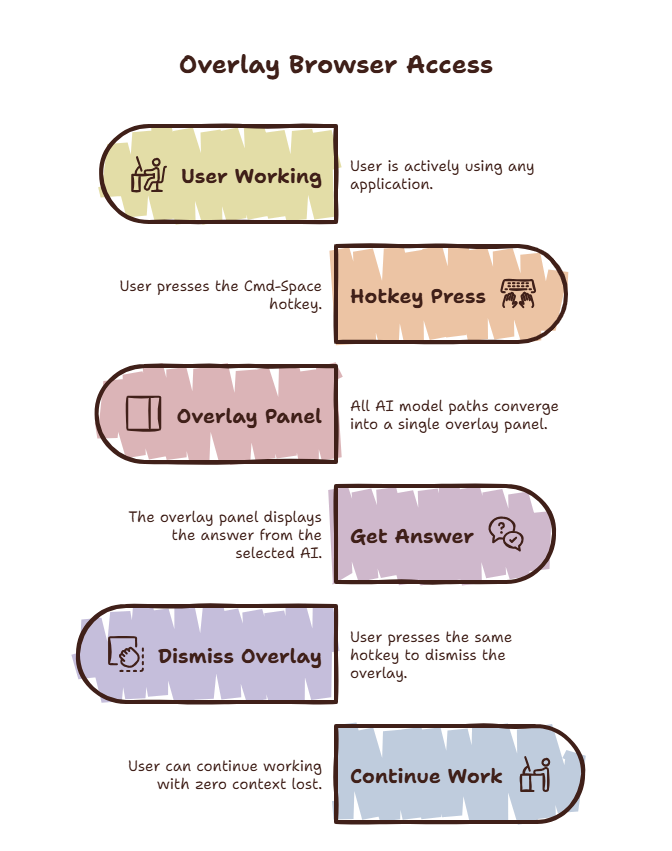
SiteQuest floats over any app or browser you already use. Press Shift-Space, ask anything, dismiss. No migration, no new window, no tabs. Best when your work lives across many apps and you want AI inside all of them.
3. Sidebar browsers
Arc, Edge, Vivaldi, Zen. A persistent side panel with AI chat next to your tabs. Best when you already live in one browser and want the assistant docked beside it.
4. Single-model apps
ChatGPT or Claude desktop apps and pinned tabs. Free and familiar, but every lookup is still an Alt-Tab round trip. Best as a starting point, worst as a system.
Which AI Browser Fits You?
| You… | Pick |
|---|---|
| Research with citations | Comet |
| Live inside ChatGPT | Atlas |
| Want AI without switching apps | SiteQuest overlay |
| Live in one browser already | Arc / Edge sidebar |
| Handle sensitive data | Local AI (Ollama) + overlay |
Notice the pattern: the question is never “which browser is best.” It is “where does your work happen?” If the answer is “everywhere,” no single browser can follow you — but an overlay can.
SiteQuest was built for exactly that case: any model (ChatGPT, Claude, Gemini) plus free offline local AI, one hotkey away, on macOS and Windows. Download free or compare plans.
Want the multitasking angle? Read overlay browser vs split screen.
Final Thought
An AI browser is not a browser with a chatbot. It is the end of the round trip between your work and your answers.