You have been using Chrome for years. It works. All your bookmarks are there. Extensions. Saved passwords.
But something has been off.
Chrome eats more RAM than it used to. Your laptop fan spins up with ten tabs open. You close Chrome and your system breathes.
You opened this article to see how SiteQuest compares to Chrome. But first, you had to open Chrome — or at least glance at it — to find this page. Now you’re here. Reading this. While Chrome sits in your dock, consuming memory you did not give it permission to use.
Have you ever noticed that you keep Chrome running “just in case” even when you are not actively using it?
That background cost adds up. In battery. In memory. In attention.
Curious what Chrome’s background cost looks like? Try the Focus Points Calculator — it measures how much of your day gets eaten by always-on browser overhead.
The Chrome Tax
Chrome costs you in ways that are easy to ignore because they are invisible.
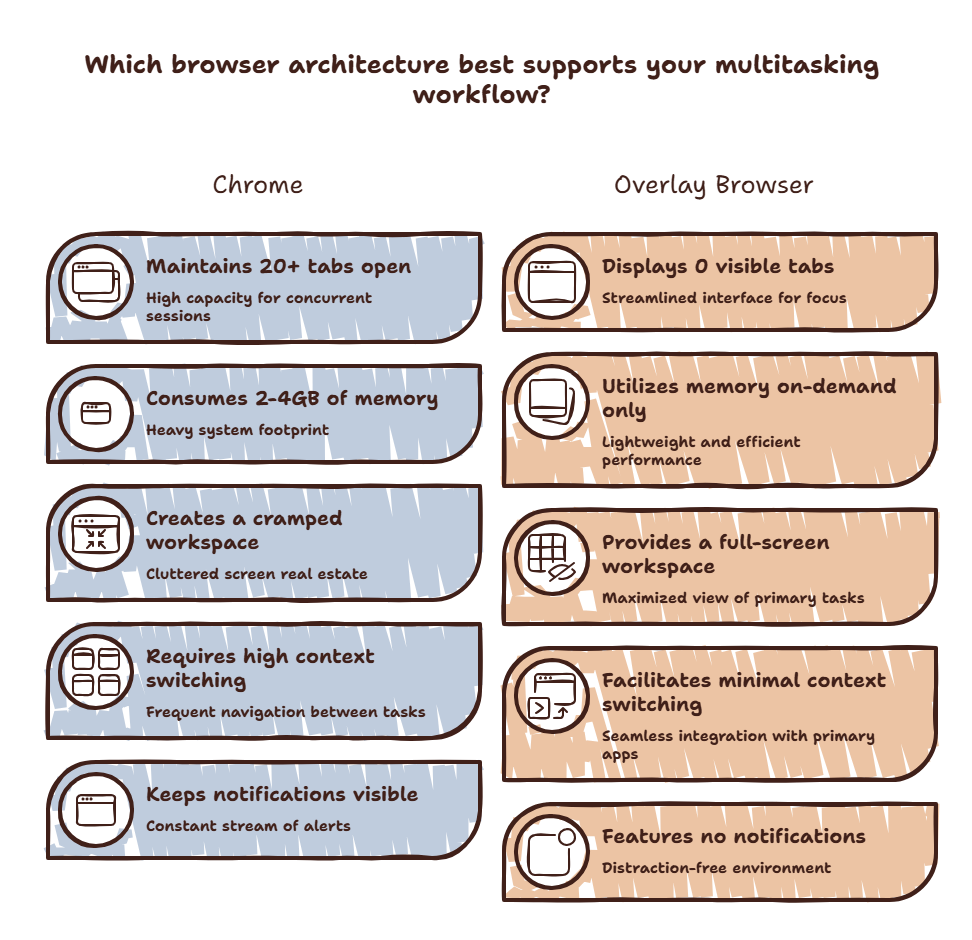
The memory cost is visible. Open Activity Monitor or Task Manager. Chrome will be at the top. Google argues that memory usage makes pages load faster. But at what point does the cost of keeping Chrome running outweigh the benefit?
The attention cost is invisible. Chrome is designed to keep you inside it. Every new tab shows your most visited sites. Every notification badge pulls your eye. The new tab page is optimized for engagement — not for getting you back to work.
A 2025 study from the University of Michigan found that peripheral distractions — visible browser tabs, notification badges — reduce task performance by an average of 11%. Chrome is not just a tool. It is an environment. Environments shape behavior.
What Chrome Gets Right
Chrome is excellent at what it does. The extension ecosystem is unmatched. Developer tools are industry standard. Syncing across devices works seamlessly. Its rendering engine is fast and standards-compliant.
The problem is not that Chrome is bad. The problem is that Chrome is designed for browsing — and you use it for much more than browsing.
Chrome is a web browser. You use it for web browsing, yes. But you also use it for AI tools, documentation, quick lookups, communication, project management. When a browser is your gateway to everything, the browser’s design becomes the bottleneck.
What SiteQuest Does Differently
SiteQuest is not a Chrome replacement in the traditional sense. It does not try to be a better tab manager. It changes the paradigm.
Instead of a window you open and manage tabs inside, SiteQuest is an overlay. You press Shift-Space. A floating browser appears over your current workspace. You use it. You dismiss it. Your workspace never disappears.
This eliminates the Chrome Tax:
- No memory drain — SiteQuest runs only when summoned. No background processes eating RAM.
- No distraction environment — No tabs, no bookmarks bar, no new tab page. Just the page you need.
- No context switch — Your primary workspace stays visible. The overlay appears and disappears without hiding your work.
- No tab management — You do not manage tabs in SiteQuest. You use it and leave.
SiteQuest vs Chrome Comparison
| Feature | Chrome | SiteQuest |
|---|---|---|
| Launch method | Click icon, open window | Hotkey (Shift-Space) |
| Screen impact | Full window | Overlay — workspace stays visible |
| Memory usage | High — always running | Minimal — runs only when summoned |
| Tab management | Required | None |
| Distraction environment | Full (tabs, bookmarks, new tab page) | None |
| AI tool access | Browser tab | Overlay, one hotkey away |
| Cross-platform | Full | Mac + Windows |
| Extension support | Extensive | Full browser engine — use web apps |
When To Keep Chrome
Chrome still wins for certain use cases:
- Full research sessions — When you need twenty tabs open for a deep research project, Chrome’s tab management is useful
- Extension-heavy workflows — If you rely on specific Chrome extensions that have no web-based alternative
- Google ecosystem integration — If you live in Google services, Chrome’s integration is tighter
For everything else — quick lookups, AI access, documentation, reference — SiteQuest is faster and less distracting.
For a broader comparison of all browser alternatives, read our power user browser guide.
Final Thought
Chrome is a destination. SiteQuest is a tool. You know which one you need based on how often you want to leave your work.