You are on Windows. Every AI browser launch event seems to happen on a Mac first.
Atlas launched Mac-only. Dia is Mac-first with Windows perpetually “coming soon.” You are left watching keynote demos for software you cannot install.
Here is the thing nobody says on stage: you do not need their browser. You need AI where your work already happens — and on Windows, that means an overlay, not another window.
How many times today have you Alt-Tabbed to a chatbot and lost the thread of what you were doing?
That trip is the tax. On Windows, where Alt-Tab is practically a lifestyle, the tax compounds.
Curious what that switching costs you? Try the Focus Points Calculator — it measures how much of your day gets eaten by app and tab switching.
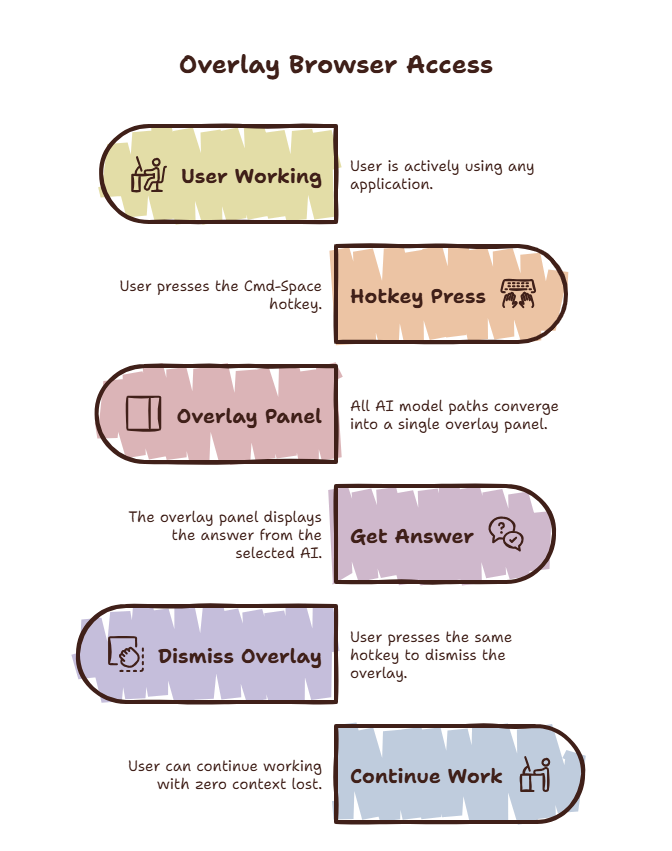
Why Windows Gets AI Browsers Last
AI browser startups chase Mac-first launches. The reasons are boring and practical: homogeneous hardware, developers who all use MacBooks, a press corps that screenshots in light mode.
Windows users get the leftovers: Electron ports six months late, missing features, or “join the waitlist” pages. The pattern held for Arc, for Dia, and for Atlas at launch.
Waiting is a strategy with a cost. Every month you wait is a month of Alt-Tabbing to chatbots.
The 5 Real Options on Windows
#1 — SiteQuest (Overlay, Any Model)
SiteQuest does not ask you to switch browsers. It floats over Windows — any app, any window — summoned with Shift-Space. ChatGPT, Claude, Gemini, or 100% offline local AI via Ollama.
- Best for: AI access without leaving work. Research, writing, coding lookups.
- Price: Free core; Plus $3.99/mo; Pro $6.99/mo.
- Windows support: Native. Not a port, not a waitlist.
#2 — Comet (Full AI Browser)
Perplexity’s Comet runs on Windows with citations and agents. If you want one browser to live in and you do citation-heavy research, Comet is excellent.
- Best for: Deep research sessions with sources.
- Trade-off: It is still a browser you must switch into.
#3 — Edge + Copilot (Built In)
You already have it. Edge’s sidebar and Copilot cover quick questions without installing anything. Shallow, but zero friction.
- Best for: Nothing to install, casual use.
#4 — Brave + Leo (Private)
Brave runs great on Windows with Leo AI and built-in ad blocking. Strong pick if privacy outranks AI depth.
#5 — ChatGPT / Claude Web Apps (Pinned)
Pin the web apps to your taskbar. Free, but every lookup is still an Alt-Tab round trip.
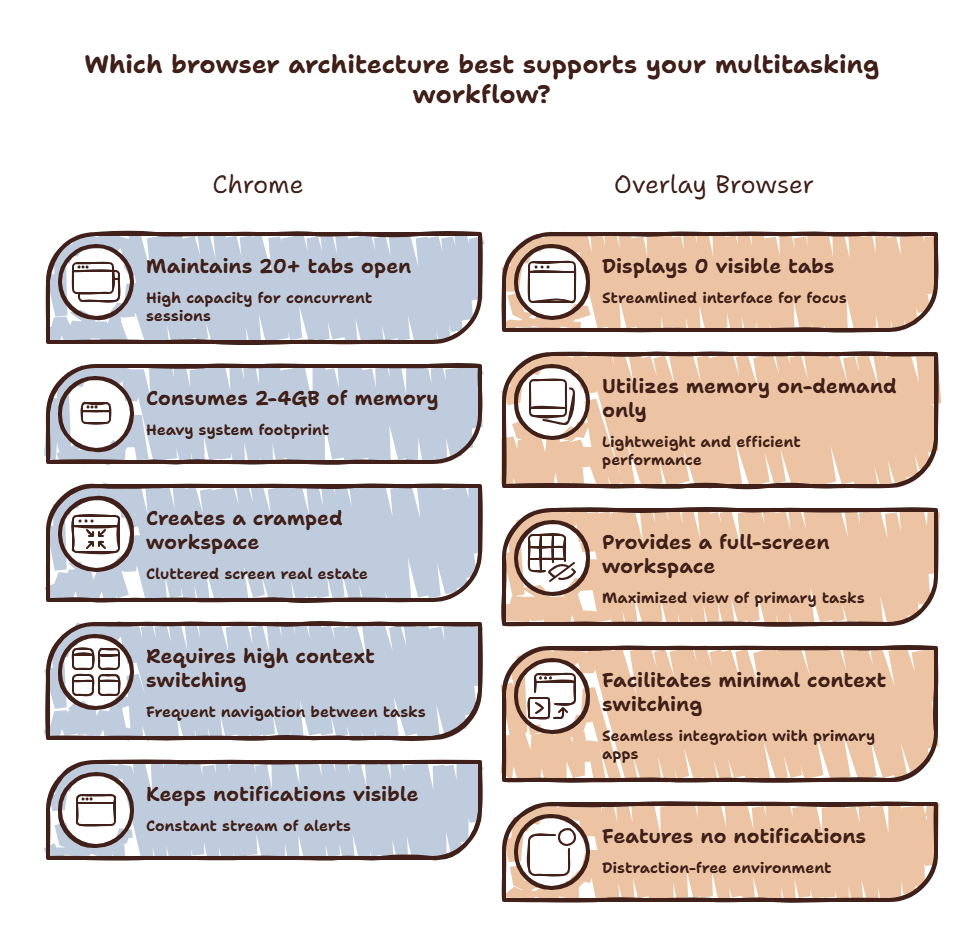
AI Browser for Windows Compared
| Option | Switch cost | Models | Offline | Price |
|---|---|---|---|---|
| SiteQuest | Zero — overlay | Any + local | Yes (Ollama) | Free / $3.99 / $6.99 |
| Comet | New browser | Perplexity | No | Free |
| Edge + Copilot | New window | Copilot | No | Free |
| Brave + Leo | New browser | Leo (+ local) | Partial | Free |
| Pinned web apps | Alt-Tab trip | One each | No | Free |
The Setup That Actually Works
Stop waiting for Mac-first launches. Download SiteQuest free, keep your current browser for deep sessions, and put AI one hotkey away everywhere else. Compare plans when you outgrow Free.
New to the concept? Read what an overlay browser is.
Final Thought
The best AI browser for Windows is the one that never makes you leave Windows to use it.