You have twenty-three tabs open. You know this because you counted them yesterday. You told yourself you would close them. You did not.
Some of them have been open for weeks. The one about that article you will read. The one with the documentation you might need. The one with the product you are thinking about buying.
You hover over the close button. Your finger hesitates.
What if I need this later?
You opened this article to understand why you cannot close tabs. But first, you had to find this article among your twenty-three open tabs. Now you’re here. Reading this. And the tabs are still there.
The Fear of Closure
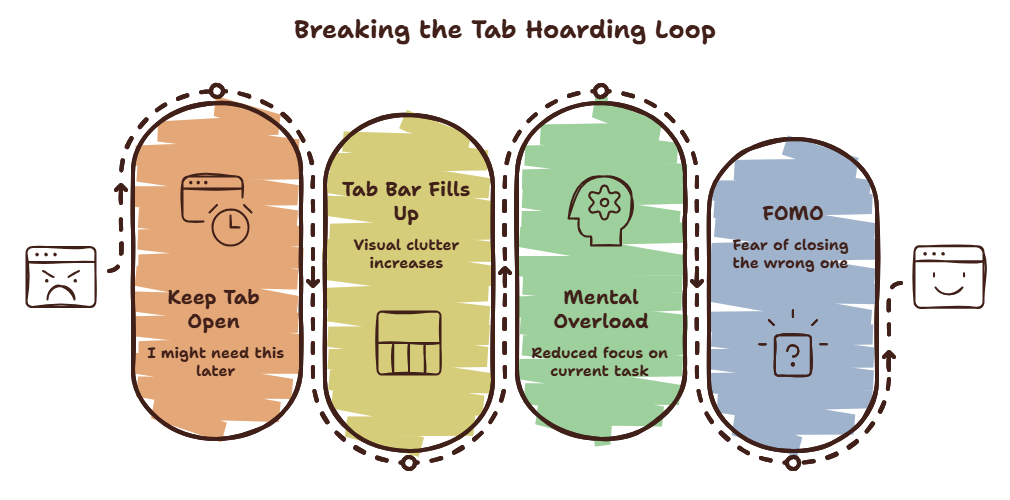
Tab Anxiety has three sources:
FOMO (Fear of Missing Out). If you close the tab, you might lose access to information you need. The bookmarks bar is full. Your reading list is overflowing. The tab is the only place this information lives — or so your brain tells you.
Task incompletion. Every open tab represents an unfinished task. The article you will read. The form you will fill out. The purchase you will make. Closing the tab feels like abandoning the task.
Memory as external storage. Your brain uses open tabs as a memory aid. “I will remember to do that because I can see the tab.” Close the tab, and the reminder is gone.
A 2025 study from MIT found that the average user keeps 8.7 tabs open specifically as reminders — not for active use. These “reminder tabs” consume an average of 340MB of memory per session.
Have you ever noticed that you keep a tab open for days, revisit it once to confirm you still do not need it, and leave it open anyway?
That is Tab Anxiety. The confirmation is not enough. The fear persists.
The Cost
Those tabs are not free. Each one costs you:
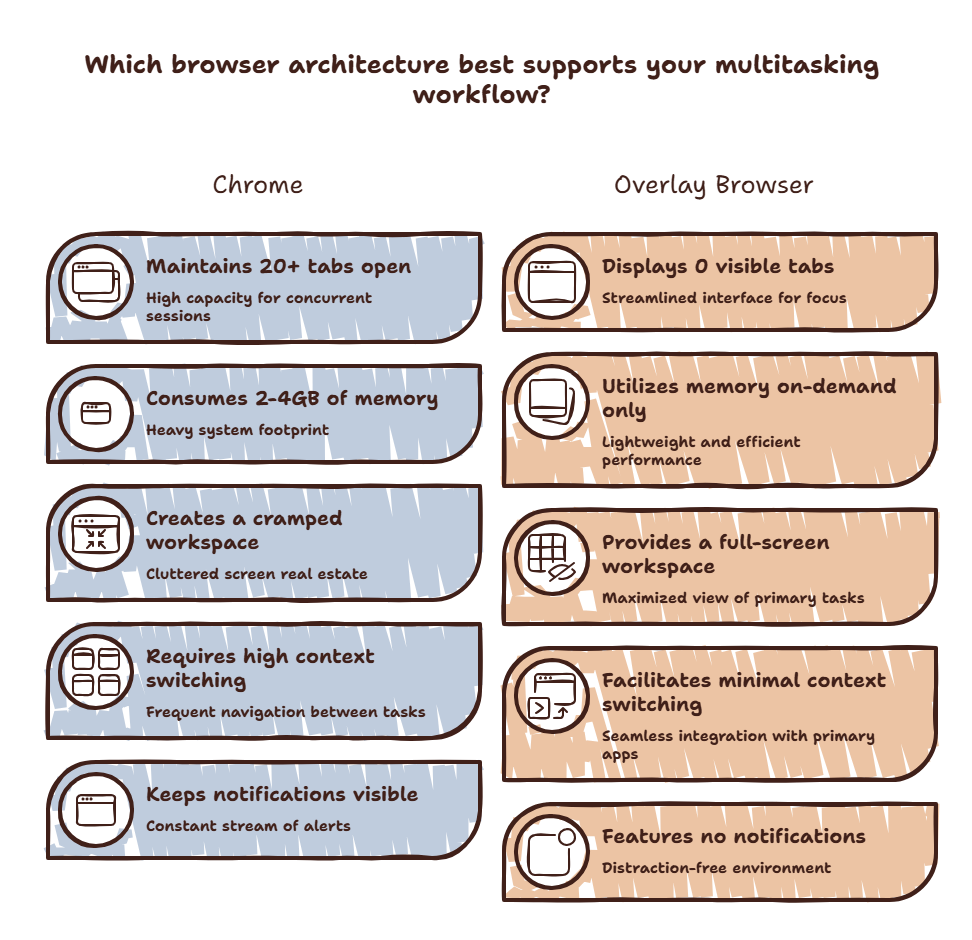
Memory. Literally. Every open tab consumes RAM. Twenty tabs can consume 2-4GB. Your system slows down. Everything feels sluggish.
Attention. Every visible tab is a micro-distraction. Your peripheral vision registers it. Your brain processes it. Even if you never click it, it consumes bandwidth.
Decision fatigue. The tab bar is a decision environment. Should I close this tab? What about that one? Every decision costs mental energy.
The accumulated cost is significant. A UC Irvine study found that workers with more than 15 tabs open reported 22% higher stress levels and 15% lower task completion rates than those with fewer than 8.
Curious what your tabs are costing you? Try the Focus Points Calculator — it measures how much of your day gets eaten by tab clutter and decision fatigue.
The Fix
The fix is not willpower. The fix is changing how you relate to tabs.
The One-Tab Rule
Keep one browser tab. Just one. Everything else goes into bookmarks or a reading list. One tab forces you to commit to one thing at a time.
This sounds extreme. It is. But the results are dramatic. Users who adopt the one-tab rule report 30-40% higher focus scores within a week.
The Overlay Escape
The real problem is that your browser is both your workspace and your distraction environment. An overlay browser like SiteQuest separates the two.
Use your regular browser for focused browsing sessions — one or two tabs. Use the overlay for quick lookups and AI access. The overlay has no tabs. It appears and disappears. It cannot accumulate.
This separation breaks the tab anxiety cycle. You stop treating your browser as a permanent storage system. It becomes a tool you use and leave.
The Friday Close
Every Friday, close every tab you have not used in the last week. Just close them. No review. No “I’ll save this one.” Close them all.
The relief you feel afterward is the proof that you did not need them.
The SiteQuest Perspective
SiteQuest was built for people drowning in tabs. An overlay browser that cannot accumulate tabs because it has no tab bar. Use it for quick lookups, AI access, and reference. Keep your regular browser for focused sessions. The tabs stay under control.
Final Thought
Every open tab is a promise you made to your future self. Stop making promises you cannot keep.