YouTube ads got longer. Cookie banners multiplied. Half the web now loads an ad framework before it loads the article.
On Windows, the adblock story just changed — Manifest V3 gutted Chrome’s blockers. Your choice of browser now decides what you see.
When did you last read an article without an autoplay video chasing you down the page?
If you cannot remember, your blocker is losing.
Curious what ad-cluttered browsing costs your focus? Try the Focus Points Calculator — it measures how much of your day gets eaten by distraction overhead.
Why Windows Users Feel This First
Chrome on Windows is the default for most people, and Chrome is where Manifest V3 hit hardest: uBlock Origin neutered, filter lists capped, YouTube ads slipping through. Staying on default Chrome is now the worst ad-blocking choice on Windows.
The Ranking
#1 — Brave (Set and Forget)
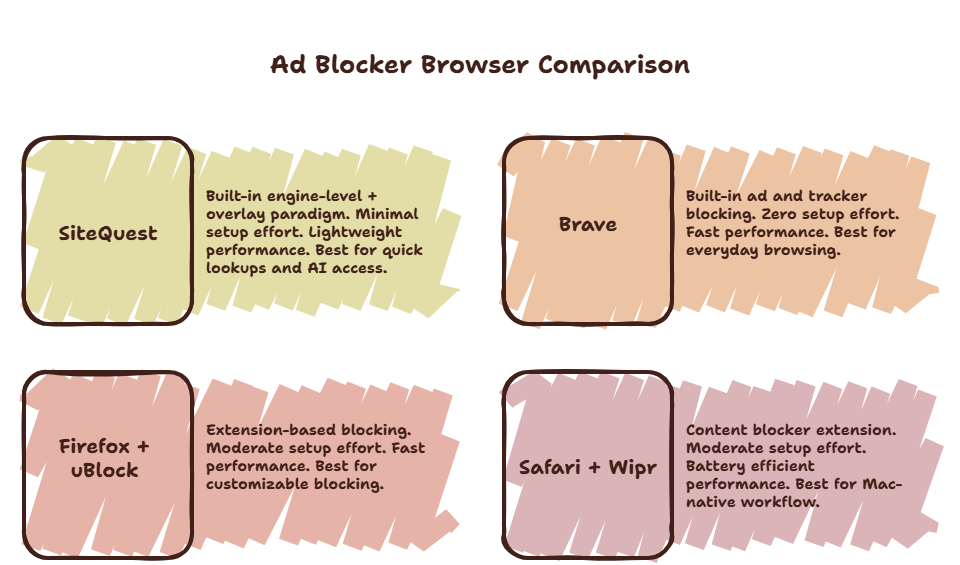
Shields block ads, trackers, fingerprinting, and cookie banners out of the box on Windows. No extensions to configure. The easiest recommendation in this list.
- Best for: People who want it handled.
- Trade-off: Crypto features you will disable once and forget.
#2 — Firefox + uBlock Origin (Maximum Power)
The only major browser where full uBlock Origin still runs. Most filter control, most setup. Worth it if you enjoy tuning.
- Best for: Power users, filter-list tinkerers.
#3 — SiteQuest (Overlay + Ghostery)
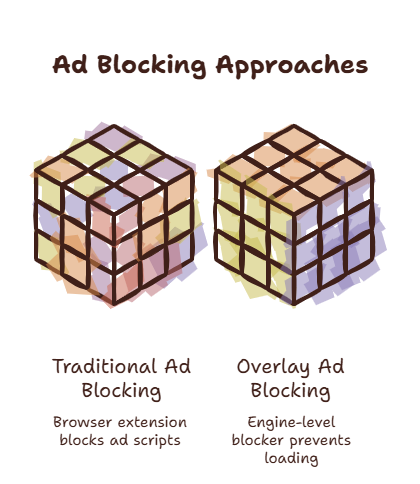
SiteQuest ships Ghostery-powered blocking inside the overlay: ads, trackers, cookie banners, and YouTube ads handled at the network level. You get the blocking without switching browsers — it floats over whatever you already use.
- Best for: Blocking everywhere, including inside other apps’ context.
#4 — Edge + Strict Tracking Prevention
Built in, decent, one toggle in Settings → Privacy. Better than Chrome’s defaults, weaker than Brave.
- Best for: Zero-install improvement today.
What Each One Blocks
| Browser | Ads | Trackers | YouTube ads | Cookie banners | Setup |
|---|---|---|---|---|---|
| Brave | Yes | Yes | Yes | Yes | None |
| Firefox + uBO | Yes | Yes | Yes | With lists | Moderate |
| SiteQuest | Yes | Yes | Yes | Yes | None |
| Edge Strict | Partial | Yes | No | No | One toggle |
| Chrome default | No | Partial | No | No | — |
The Honest Verdict
Main browser: Brave or Firefox+uBO. Clean layer over everything else: SiteQuest free with Ghostery built in. macOS users have a dedicated guide.
Final Thought
You should not need an engineering degree to read a recipe without autoplay video.