Every cloud chatbot reads what you paste. That is not a scandal — it is the business model. Training data has to come from somewhere, and your prompts are somewhere.
If your work touches client data, unreleased code, medical or legal text, “trust us” is not a privacy policy.
What did you paste into a chatbot this week that you would not post publicly?
If the answer made you pause, keep reading.
Curious what risky pasting costs beyond privacy? Try the Focus Points Calculator — it measures how much of your day gets eaten by switching tools mid-thought.
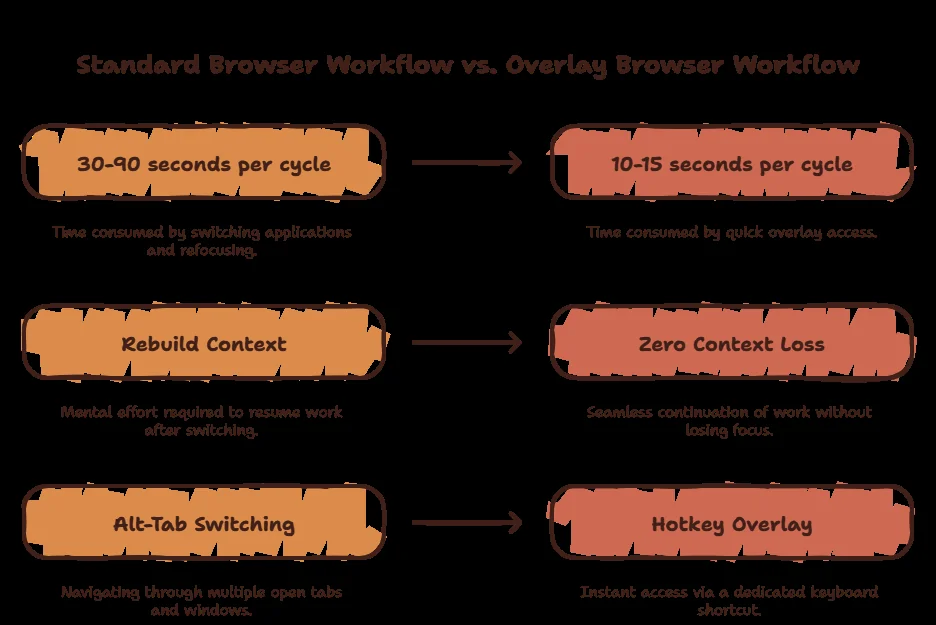
What Cloud AI Actually Keeps
Retention policies differ, but the pattern holds: prompts pass through company servers, may be reviewed, and deletion is a request rather than a guarantee. Enterprise tiers improve this; free tiers fund themselves with your data.
For drafts, brainstorming, and public info this is fine. For credentials, client work, health and legal matters, it is not.
The Privacy Ladder
Level 1 — Cloud with opt-outs. Disable training in ChatGPT and Claude settings. Better than defaults, still server-side.
Level 2 — Private cloud tiers. Enterprise and zero-retention API plans. Real contracts, real money, still someone else’s computer.
Level 3 — Local models. Llama, Mistral, Qwen via Ollama on your own machine. Nothing leaves. This is the only level where privacy is physics instead of policy.
The Private Setup
SiteQuest runs 100% offline local AI free — Ollama models inside the overlay, over any app you are working in. Sensitive paragraph? Ask locally. Public research? Switch to Claude or ChatGPT in the same window.
- Best for: Mixed work — private where it matters, cloud where it helps.
- Blocking: Ghostery-powered ad and tracker blocking included.
- Price: Free core; Plus $3.99/mo; Pro $6.99/mo.
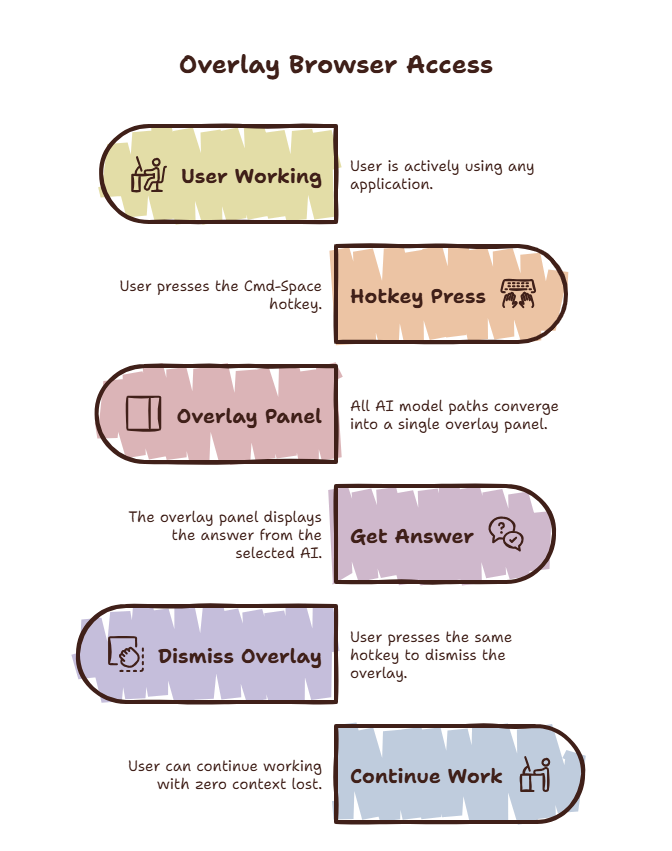
Privacy Options Compared
| Option | Data leaves device? | Model quality | Cost | Effort |
|---|---|---|---|---|
| Cloud + opt-outs | Yes | Best | Free–$20 | One toggle |
| Enterprise tiers | Yes (contracted) | Best | $$$$ | Procurement |
| Local + overlay | No | Good, growing | Free | One install |
| No AI at all | No | None | Free | Career-limiting |
Start Here
Download SiteQuest free, install a local model, and paste freely for the first time in years. Compare plans when you need cloud models too.
Final Thought
Privacy is not a setting. It is a place — and the safest place for your words is your own machine.